
AI videos are getting more creative every day, and a new Zombie AI Love Story video trend is becoming popular on Instagram Reels in 2026. These videos combine a scary zombie world with an emotional love story, creating a cinematic video that looks like a scene from a real movie.
The interesting part is that you don’t need professional filmmaking equipment to create this type of video. With AI video tools like Google Flow, you can create characters, scenes, camera movements, zombie effects, and emotional moments using simple text prompts.
In this guide, I’ll explain how to make a Zombie AI Love Story video using Flow AI, what prompts you can use, how to create multiple scenes, and how to combine everything into a viral-style Instagram Reel.
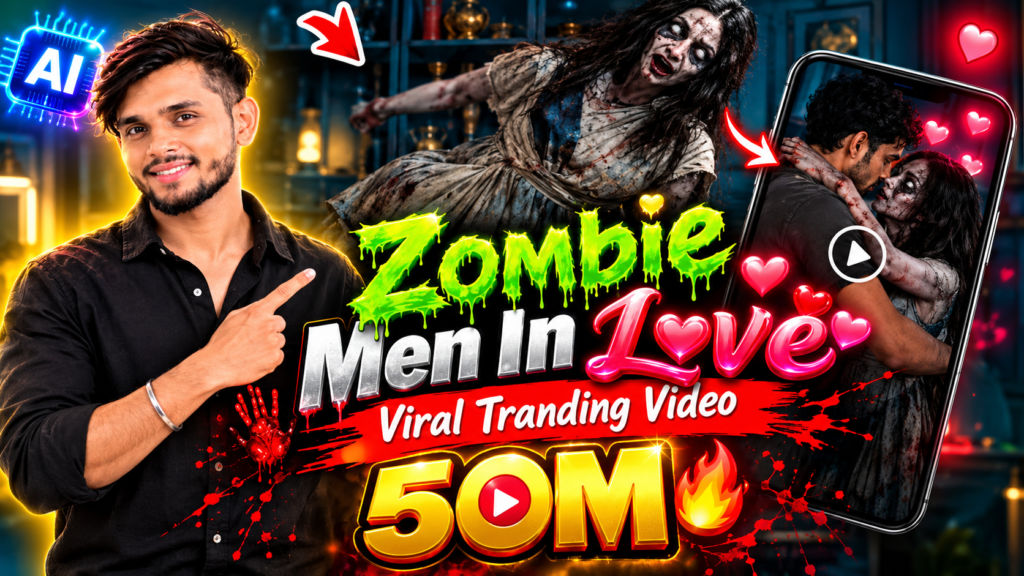
Zombie AI Love Story Flow AI Prompt
What Is the Zombie AI Love Story Trend?
The Zombie AI Love Story trend is a type of AI-generated cinematic video where two characters fall in love while surviving in a zombie apocalypse.
Instead of showing only horror and zombies, the videos focus on emotions such as:
- Love
- Fear
- Sacrifice
- Protection
- Separation
- Reunion
- Survival
For example, one popular-style concept can show a boy and girl trying to survive in an abandoned city filled with zombies. During their journey, they protect each other and eventually develop a strong emotional connection.
This combination of horror + romance + cinematic storytelling makes the videos interesting to watch.
Why Is This AI Video Trend Popular on Instagram?
Instagram users generally stop scrolling when a Reel has something visually unusual or emotionally interesting.
Zombie love-story videos combine both.
The first few seconds can show a dangerous zombie scene, while the next scene introduces the romantic relationship between the characters.
Some common elements used in these videos include:
| Element | Purpose |
|---|---|
| Zombie apocalypse | Creates suspense |
| Two main characters | Builds the story |
| Cinematic lighting | Makes the video look like a movie |
| Emotional moments | Keeps viewers interested |
| Dramatic music | Adds feeling |
| AI-generated scenes | Creates unusual visuals |
| Short story | Makes the Reel easy to watch |
The biggest advantage is that creators can make scenes that would be expensive or difficult to film in real life.
What You Need to Create a Zombie Love Story Video
You don’t need a complicated setup.
You can start with:
- A clear idea for your story
- Reference images for your characters
- Google Flow or another AI video generation tool
- Good prompts
- A video editing app
- Background music or sound effects
- A vertical 9:16 format for Instagram
If you want the characters to look consistent throughout the video, using the same reference images and detailed character descriptions is very important.
Step-by-Step: How to Make a Zombie AI Love Story Video
Step 1: Create Your Story First
Before generating anything, decide what your story will be.
Don’t try to generate one long video with the entire story in a single prompt.
Instead, divide your story into small scenes.
For example:
Scene 1: Zombie apocalypse begins.
Scene 2: The boy finds the girl hiding inside an abandoned building.
Scene 3: They escape together.
Scene 4: They hide in a safe place and become emotionally connected.
Scene 5: Zombies discover their location.
Scene 6: The boy protects the girl.
Scene 7: They escape together.
Scene 8: Emotional ending.
This approach gives you much more control over the final video.
Step 2: Create Your Main Characters
The characters are one of the most important parts of a love story.
For example, you can create:
Male character:
A young man in his mid-20s, dark hair, black jacket, rugged appearance, realistic facial features.
Female character:
A young woman in her mid-20s, long dark hair, simple dark outfit, realistic facial features and emotional expressions.
Try to keep their appearance consistent.
If the boy has a black jacket in Scene 1, don’t suddenly give him a white shirt in Scene 4 unless it is part of the story.
Step 3: Use a Reference Image
If your AI video tool supports reference images, upload the character image before generating the scene.
This can help the AI maintain:
- Face
- Hair
- Clothing
- Body appearance
- Character identity
For a multi-scene story, consistency is extremely important.
Otherwise, the characters may look different from one scene to another.
Zombie AI Love Story Flow AI Prompt
Here is a starting prompt you can use for creating the first scene.
Create a cinematic realistic zombie apocalypse love story scene.

A young man in his mid-20s with dark messy hair, wearing a black jacket, walks through an abandoned city at night. The streets are empty, damaged cars are scattered across the road, broken buildings surround the area, and thick fog covers the ground.

Suddenly, he hears a noise coming from an abandoned building.

He slowly enters the building and discovers a young woman hiding inside. She looks frightened but relieved to see another survivor.

The atmosphere should feel emotional, mysterious and cinematic.

Ultra-realistic human characters, realistic skin texture, natural facial expressions, realistic clothing, dramatic cinematic lighting, volumetric fog, detailed abandoned city environment, shallow depth of field, realistic camera movement, high-quality cinematic movie look.

Vertical 9:16 composition, designed for an Instagram Reel.

Do not add text, subtitles, logos, watermarks or extra characters.
This prompt can be modified for different scenes.
Scene 2: The First Emotional Moment
After creating the first scene, you can create a second scene where the characters start trusting each other.
Try a prompt like this:
Continue the same zombie apocalypse love story using the exact same two characters and maintaining their facial identity, hairstyles, clothing and overall appearance.

The young man and young woman are hiding inside an abandoned apartment while zombies slowly move outside the building.

The woman is scared. The man quietly holds her hand and tells her that they will survive together.

Show a subtle emotional connection between them.

Slow cinematic camera movement, close-up shots of their faces, realistic emotional expressions, soft dramatic lighting from a broken window, dust particles floating in the air, realistic environment, suspenseful atmosphere.

Ultra-realistic cinematic movie quality.

Vertical 9:16 Instagram Reel format.

No text, subtitles, logos or watermark.
Scene 3: Zombie Attack
Now increase the tension.
Continue the same cinematic zombie love story with the exact same characters.

The abandoned building is suddenly attacked by a group of zombies. The young man grabs the woman's hand and runs with her through a dark hallway.

Zombie silhouettes appear behind them.

The woman looks frightened while the man protects her and helps her escape.

Fast but realistic cinematic camera movement, handheld movie camera feeling, dramatic lighting, realistic shadows, atmospheric fog, dust and debris in the air, detailed zombies, intense survival atmosphere.

Keep both characters' faces and clothing consistent with previous scenes.

Ultra-realistic cinematic film quality, vertical 9:16.

No text, logos, subtitles or watermark.
Scene 4: The Love Story Moment
This is where the horror story becomes emotional.
Continue the same zombie apocalypse love story.

The young man and woman have escaped the zombies and are sitting together on the roof of an abandoned building during sunrise.

The city below is destroyed and covered with light morning fog.

They look at each other quietly. The woman gently smiles while the man holds her hand.

Show a deep emotional connection between them without exaggerated expressions.

Warm sunrise lighting, cinematic lens, realistic skin and hair, natural facial expressions, soft wind moving their hair and clothes, beautiful atmospheric background, emotional romantic movie scene.

Maintain the exact same character identities and clothing.

Ultra-realistic cinematic quality, vertical 9:16 Instagram Reel.

No text or watermark.
Scene 5: The Emotional Twist
A good short story needs a twist.
For example, just when the characters think they are safe, another group of zombies appears.
Continue the same zombie love story with the same characters.

The couple suddenly hears hundreds of zombies approaching from the streets below.

The man looks at the woman with fear but remains calm. He realizes there is only one safe escape route.

He takes her hand and they run toward an abandoned underground tunnel.

The woman looks back at him emotionally as they run.

Dark cinematic atmosphere, dramatic lighting, realistic zombie silhouettes in the distance, strong emotional expressions, realistic movement, cinematic camera tracking shot, detailed environment.

Keep the characters identical to previous scenes.

Vertical 9:16, realistic cinematic movie quality.

No text, subtitles, logos or watermark.
How to Make the Video Look More Realistic
Simply generating AI scenes is not enough. The prompts also need to describe the visual style.
Use words such as:
- Cinematic
- Ultra-realistic
- Natural facial expressions
- Realistic skin texture
- Realistic hair movement
- Volumetric lighting
- Atmospheric fog
- Shallow depth of field
- Handheld camera
- Tracking shot
- Slow camera push-in
- Wide establishing shot
- Close-up
- Realistic shadows
But don’t fill every prompt with unnecessary words.
The most important thing is to clearly explain what the characters are doing.
Use Different Camera Shots
Camera movement can make the AI video feel more like a movie.
For example:
Wide shot:
Shows the destroyed city and zombie environment.
Medium shot:
Shows both characters interacting.
Close-up:
Shows emotions on their faces.
Tracking shot:
Follows the characters while they run.
Slow push-in:
Works well during emotional scenes.
Using different camera angles between scenes can make the final Reel much more interesting.
How to Keep the Same Characters in Every Scene
Character consistency is one of the biggest challenges with AI video generation.
Follow these tips:
1. Use the same reference image
If the tool allows image references, use the same character reference whenever possible.
2. Repeat important details
Don’t completely change your character description between prompts.
Mention the same:
- Hair
- Clothes
- Age
- Facial appearance
- Body type
3. Don’t change too many things
If the character suddenly changes clothes, hairstyle and environment at the same time, the AI may produce a completely different person.
4. Generate short clips
Short clips are usually easier to control than trying to create one very long scene.
How to Combine the AI Clips
Once you have generated all your scenes, download the clips and open them in your preferred video editor.
You can use apps such as CapCut or another editor you already use.
Arrange the scenes in story order:
Hook → Discovery → Escape → Love → Attack → Twist → Ending
Keep the first few seconds interesting.
For example:
“In a world full of zombies, they found something worth surviving for.”
You can use a similar short hook as on-screen text if it fits your video style.
Add Background Music
Music can completely change the feeling of the video.
For the beginning, use suspenseful or dark music.
During the love scene, switch to emotional cinematic music.
During the zombie attack, increase the intensity.
For the ending, use slower emotional music.
Also consider adding small sound effects such as:
- Zombie sounds
- Footsteps
- Wind
- Door sounds
- Breathing
- Distant explosions
- Heartbeat
Don’t make every sound extremely loud. The goal is to make the video feel natural.
Best Video Format for Instagram Reels
For Instagram, a vertical video is usually the best choice.
Recommended format:
| Setting | Recommendation |
|---|---|
| Aspect ratio | 9:16 |
| Resolution | 1080 × 1920 or higher |
| Video type | MP4 |
| Style | Cinematic |
| Length | Short and story-focused |
| Text | Large and easy to read |
| Audio | Music + sound effects |
A 20–45 second story can work well for this type of content, especially if every scene moves the story forward.
Zombie AI Love Story Video Ideas
Once you understand the basic workflow, you can create many different stories.
Zombie Boy Falls in Love With a Human Girl
A zombie slowly regains his humanity after meeting a girl who refuses to abandon him.
Last Two Humans on Earth
A boy and girl believe they are the last humans alive and travel through a destroyed city searching for a safe place.
Zombie Protects His Love
A zombie becomes protective of the person he loves and fights other zombies to save her.
Love During the Apocalypse
Two strangers meet during a zombie outbreak and slowly fall in love while trying to survive.
The Last Kiss
A couple gets separated during a zombie attack and searches for each other through a destroyed city.
These concepts can create emotional and suspenseful Reels.
Tips to Make Your Zombie AI Reel More Viral
There is no guaranteed formula for making a video viral, but you can improve its chances by focusing on storytelling.
Start With a Strong Hook
Don’t spend the first five seconds showing an empty street.
Start with something interesting.
For example:
“She fell in love with a zombie…”
This creates curiosity.
Keep the Story Simple
You don’t need a complicated Hollywood-style story.
A simple story with strong emotions can be more effective.
Make Every Scene Useful
Every clip should either:
- Introduce something
- Create suspense
- Show emotion
- Move the story forward
- Deliver a surprise
Remove scenes that don’t add anything.
Focus on Emotions
The zombie effects may attract viewers, but emotions can make them watch until the end.
Show fear, hope, love, sadness and sacrifice through facial expressions and body language.
Common Mistakes to Avoid
Many beginners make the same mistakes when creating AI videos.
Generating Everything in One Prompt
Long prompts with multiple events can produce unpredictable results.
Break the story into scenes.
Changing Character Descriptions
If every scene describes a different-looking character, consistency becomes difficult.
Too Many Zombies
You don’t need hundreds of zombies in every scene.
Sometimes one or two zombies in the background create more suspense.
Overusing Effects
Too much fog, fire, camera shake and dramatic effects can make the video look artificial.
Use effects where they support the story.
No Story
Beautiful AI visuals alone may not be enough.
Give your Reel a beginning, middle and ending.
Final Thoughts
The Zombie AI Love Story video trend is a creative way to combine horror, romance and AI-generated filmmaking. With tools like Flow AI, creators can turn a simple story idea into cinematic scenes without needing a traditional film crew.
The most important part is not the number of effects you use. The story, characters and emotions matter more.
Start with a simple idea, create your characters, generate each scene separately, maintain character consistency, add cinematic camera movements, and finally combine the clips with music and sound effects.
If you are creating this trend for Instagram in 2026, experiment with different endings and story twists. A surprising final scene can make viewers more likely to watch the entire Reel and share it with others.
FAQs
1. Can I make a Zombie AI Love Story video using Flow AI?
Yes. You can use Flow AI to create cinematic AI video scenes from prompts and reference images, depending on the features available to your account.
2. What aspect ratio should I use for Instagram?
Use 9:16 vertical format for an Instagram Reel.
3. How long should a Zombie AI Reel be?
There is no fixed ideal length. For a short story, around 20–45 seconds is a practical starting point, but you can make it longer if the story remains engaging.
4. How can I keep the same characters in every scene?
Use consistent reference images and repeat the important character details in every prompt.
5. Can I create the entire story with one prompt?
It is better to create the story scene by scene. This gives you more control over the characters, camera movement and storyline.
Table of Contents

Pratiksha Thakare is a Vedic astrology writer and spiritual researcher with deep study in Jyotish, numerology, and Hindu philosophy. She writes to make ancient wisdom simple and accessible for modern Indian readers.