
Have you seen the latest Instagram New Dance Trend in which a young man enters a party hall, walks confidently toward the camera, and performs stylish dance moves in front of a crowd? This type of video is attracting attention on social media because of its energetic movements and cinematic party atmosphere.
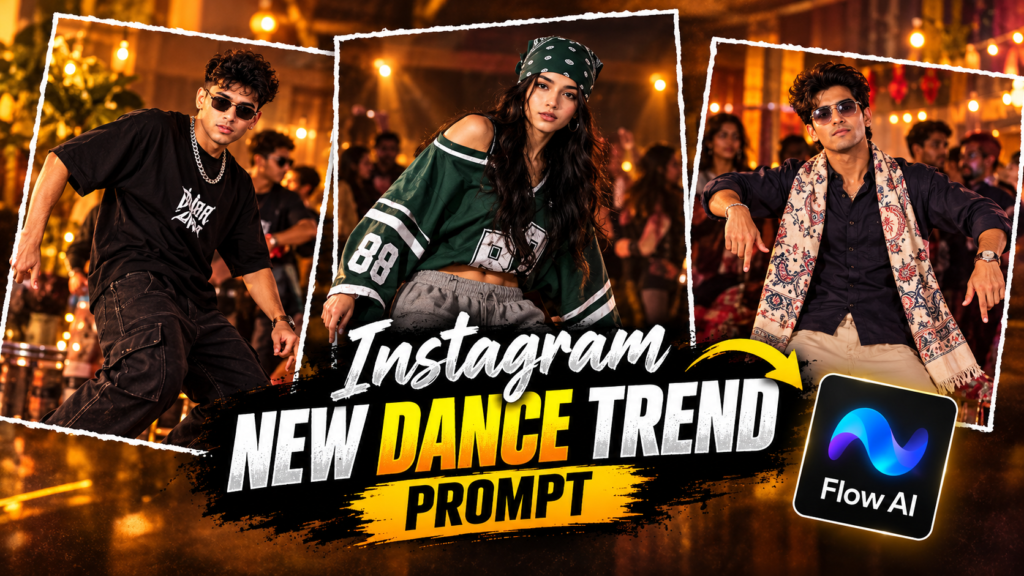
The good news is that you can create a similar video featuring your own face and outfit with the help of Google Flow AI. You do not need professional video editing skills or an expensive camera. All you need is a clear photo of yourself, a suitable reference video, and the right AI prompt.
In this guide, you will learn how to create the Instagram New Dance Trend video step by step. You will also get a free AI prompt that you can copy and use in Google Flow.
Instagram New Dance Trend Reference Video
Instagram New Dance Trend Prompt
What Is the Instagram New Dance Trend?
The Instagram New Dance Trend is a party-style video format featuring a confident entry followed by smooth dance movements. The main character walks into a hall filled with guests, faces the camera, and performs the dance while other people remain in the background.
The combination of stylish movements, party lighting, and a confident attitude makes the video interesting to watch. Many creators enjoy this format because they can recreate the same concept using their own photos and AI video tools.
Instead of recording the entire dance yourself, you can use an existing reference video to guide the AI. Google Flow can then attempt to recreate the scene with your selected character.
The main idea is simple: use a reference video for the dance and camera movements, and use your photo to guide the appearance of the main character.
What Do You Need to Create This AI Dance Video?
Before starting, prepare the following items:
- A clear personal photo: Choose a high-quality image in which your face and hairstyle are clearly visible.
- A muted reference video: Use a compatible video without music or speech if your chosen Flow workflow requires a silent reference.
- Google Flow AI: Open Google’s Flow video creation tool and check which features are available to your account.
- The AI dance prompt: Copy the prompt provided below to guide the character replacement.
- A video editing app: CapCut or VN can help you add music after generating the video, where those features are available.
Keep your original reference video separately if you want to use its music during the final editing process.
Step 1: Prepare the Dance Reference Video
First, find a suitable reference video showing the party entry and dance movements you want to recreate.
If you already have a muted version of the reference video, use that file. If your reference contains music or speech, check whether your selected Google Flow mode supports it. Some workflows may process audio differently, so removing audio can help when the tool reports an audio-related editing error.
Choose a video that clearly shows the main dancer from beginning to end. A reference with visible movements and fewer obstructions can make it easier for the AI to understand the action.
Only use videos that you have permission to upload and edit.
Step 2: Open Google Flow AI
Open Google Flow and start a new video creation project.
Select a video workflow that supports the reference video and image inputs you want to use. The exact options may differ depending on the model and your account.
For a vertical Instagram Reel, use these settings when available:
| Setting | Recommended choice |
|---|---|
| Video format | Vertical 9:16 |
| Duration | Approximately 10 seconds, if supported |
| Reference input | Muted dance video |
| Character reference | Your personal photo |
| Number of outputs | One |
| Video model | Choose a compatible available model |
Do not worry if your interface looks different. Google may update the available models, duration options, and generation modes over time.
Step 3: Upload Your Photo and Reference Video
Now upload the required files to your selected video workflow.
Follow these steps:
- Add the dance reference video.
- Upload a clear photo of yourself as the character reference.
- Check that both files have finished uploading.
- Make sure the photo is being used as the identity reference rather than as the video background.
- Copy the prompt from the next section and paste it into the prompt box.
Your photo should have enough detail for the AI to recognize your facial features, hairstyle, skin tone, and clothing.
For the best possible result, avoid blurry photos, heavy filters, and images where your face is partly hidden.
Step 4: Copy the Free Instagram Dance Trend AI Prompt
The following prompt is written to guide the AI to replace the main dancer while keeping the party environment and other people as consistent as possible.
Free Google Flow AI Prompt:
Replace the main dancer in the reference video with the person shown in Image 1. The main dancer is the person who enters the party hall, approaches the camera, and performs the dance movements in the central part of the video.
Use Image 1 as the primary visual reference for the replacement character. Preserve the person’s recognizable facial features, hairstyle, skin tone, facial structure, and overall appearance as accurately as the tool allows. Keep the character’s identity consistent throughout the entire video.
Replace the original dancer’s clothing with the outfit visible in Image 1. Match the clothing’s colors, design, fabric appearance, accessories, and overall style as closely as possible to the reference photo.
Keep all other guests and background characters unchanged. Do not transfer the reference person’s face or clothing to other people in the scene.
Follow the original reference video’s sequence of actions. Recreate the main dancer’s entrance, walking direction, body movements, dance steps, hand gestures, poses, and timing as closely as possible. Maintain the original party hall, background arrangement, lighting, camera angles, camera movements, and overall atmosphere.
The replacement character should move naturally and remain visually consistent from the beginning to the end. Avoid distorted hands, unnatural body movements, inconsistent facial features, sudden outfit changes, or unnecessary changes to the background.
Do not add new characters, extra dance movements, subtitles, captions, logos, watermarks, or decorative text. Keep the final video clean and focused on the main dancer.
Create a realistic, high-quality video suitable for a vertical social media Reel. Use a 9:16 aspect ratio when supported, and follow the reference video’s original timing and composition as closely as possible.
Important: AI video generation is not guaranteed to reproduce every frame perfectly. The final result depends on the quality of the reference files, the selected model, and the available editing features.
Step 5: Generate Your AI Dance Video
After pasting the prompt, review your uploaded files and selected settings.
Click the Generate button and wait for the video to finish processing. Generation time may vary depending on the model, server load, and video settings.
Once the result is ready, watch the complete video before downloading it.
Check the following details:
- Does the main character resemble your reference photo?
- Is the outfit reasonably close to your uploaded image?
- Are the dance movements similar to the original video?
- Do the other people and the party background remain consistent?
- Does the video fit the vertical Reel format?
If the result has major errors, adjust the prompt or try another generation if your account has enough credits. You may get better results by using a clearer reference photo or a shorter, less complicated reference clip.
Step 6: Add Music to Your Finished Video
If your generated video has no sound, you can add suitable music during editing.
Option 1: Use CapCut or VN
- Open your preferred video editing app.
- Import the generated dance video.
- Add an audio track that you have permission to use.
- Adjust the music timing to match the dance.
- Preview the video and export it in a suitable vertical format.
If you have permission to use the original video’s audio, you can use that track. Otherwise, choose licensed music or an appropriate track from Instagram’s music library.
Option 2: Add Music on Instagram
You can also upload the finished video directly to Instagram and select a suitable track from the platform’s music library, where available.
Choose music that matches the dance’s rhythm and atmosphere. Before publishing, confirm that the audio is available for your account and intended use.
Tips for Getting Better Results
Follow these suggestions to improve the quality of your Instagram dance video.
1. Use a high-quality photo
A sharp photo with good lighting gives the AI a clearer reference for your face and clothing.
2. Choose a clear dance reference
A reference video with visible body movements and a consistent camera angle may be easier to reproduce.
3. Keep the prompt focused
Clearly explain which person should be replaced and which parts of the scene should remain unchanged.
4. Check the aspect ratio
Choose 9:16 for a full-screen vertical Reel when the selected tool supports it.
5. Review the complete output
Look for face changes, unnatural hands, clothing inconsistencies, and sudden background alterations before posting.
6. Be careful with music rights
Use audio you are authorized to use, particularly if you plan to publish the video on a monetized account or website.
7. Check the available AI credits
Free access and generation limits can change. Review your Google Flow account before starting if you want to avoid unexpected usage restrictions.
Is the Instagram New Dance Trend AI Video Free?
You can use the prompt in this guide without paying for the prompt itself. However, generating the video may require Google Flow credits or a supported subscription, depending on your account and Google’s current access rules.
Additional editing apps may also have paid features. Check the current terms and available features before starting your project.
Frequently Asked Questions (FAQs)
1. How can I create the Instagram New Dance Trend video?
Prepare a clear photo and a compatible dance reference video. Upload both to a suitable Google Flow workflow, paste the AI prompt, and generate the video. Review the output and add music if needed.
2. Can I use my own face in the AI dance video?
Yes. You can upload your own photo as the character reference. The AI will attempt to use your appearance for the main dancer, although exact identity and clothing preservation are not guaranteed.
3. Why does Google Flow show an audio-related error?
The error may occur because of limitations in the selected workflow or problems processing the reference video’s audio. Try a muted reference video if the workflow requires it, and check that the file format is supported.
4. Can I create this trend using a girl’s photo?
Yes. You can use a clear photo of an adult woman as the main character reference. The result will depend on the uploaded image, prompt, and capabilities of the selected AI model.
5. Can I upload the generated dance video to Instagram Reels?
Yes, provided you follow Instagram’s rules, respect the rights of other people, and use audio and visual material you are authorized to publish. Review the final video before posting.
6. Why does my generated video look different from the reference?
AI video tools can change facial details, body movements, camera framing, and background elements. Use clear reference files, describe the desired movement precisely, and try another generation if necessary.
Final Words
The Instagram New Dance Trend is a fun way to experiment with AI video creation. With a clear photo, a suitable reference video, and a well-written prompt, you can attempt to recreate the party entry and dance using your own appearance.
Follow the steps in this guide, check the available Google Flow settings, and review your final video before sharing it. Remember that the prompt is free to use, but AI generation access and credits may vary by account.
Try the prompt, create your own version of the trend, and share your finished Reel with your audience.
Table of Contents

Pratiksha Thakare is a Vedic astrology writer and spiritual researcher with deep study in Jyotish, numerology, and Hindu philosophy. She writes to make ancient wisdom simple and accessible for modern Indian readers.