
Diwali is one of the most exciting festivals in India. During this time, people love sharing festive photos, creative videos, and beautiful moments on Instagram and Facebook. But what if you could turn your normal photo into a stunning Diwali-themed cinematic video using AI?
In this article, I’ll show you how to create Diwali Special AI Video Editing 2026 step by step. I’ll also share ready-to-use image and video prompts that you can copy and use to create your own festive videos.
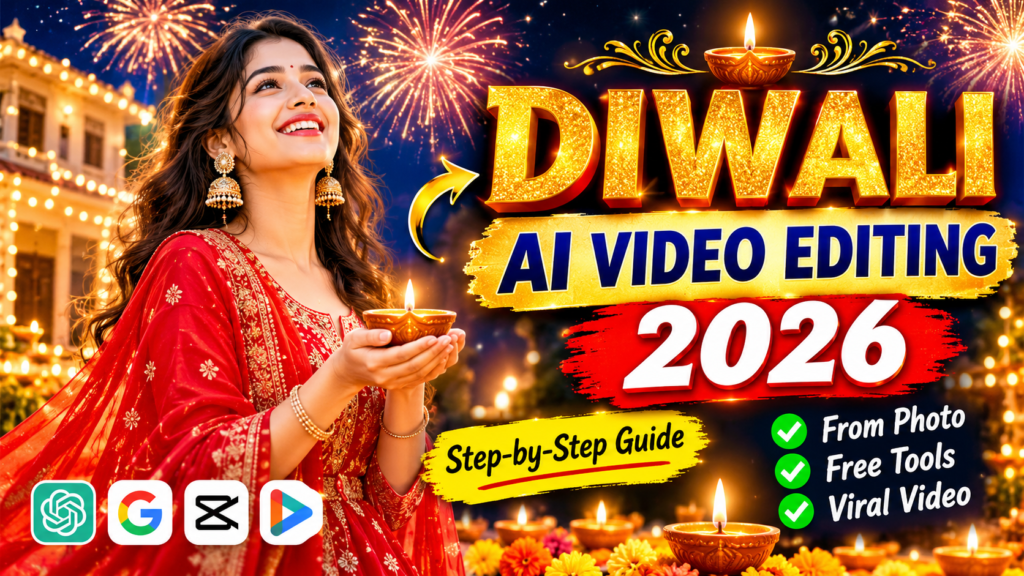
Diwali Special AI Video Prompt
What Is Diwali? (What Is the Diwali Festival?)
Diwali, also known as Deepawali, is one of the biggest festivals celebrated in India. It is known as the festival of lights and happiness.
According to the popular Hindu tradition, Diwali celebrates the return of Lord Rama to Ayodhya after completing 14 years of exile. People welcomed him by lighting oil lamps (diyas), decorating their homes, and celebrating his return.
Today, people celebrate Diwali by lighting diyas, decorating their houses with colourful lights and flowers, preparing sweets, and performing Lakshmi Puja.
The Diwali celebration also includes several festivals, such as Dhanteras, Choti Diwali, Diwali, Govardhan Puja, and Bhai Dooj.
Apart from traditional celebrations, people also enjoy sharing festive photos and videos on social media.
Diwali Special AI Video Editing 2026 – Ready-to-Use Video Prompt
Before starting the tutorial, let’s look at a beautiful Diwali-themed video prompt. You can use it with an image-to-video AI tool to create a cinematic festive video from your photo.
Diwali Cinematic Video Prompt
Copy this prompt:
Create a 10-second ultra-realistic cinematic Indian festive fashion video. A beautiful young Indian woman wearing an elegant ivory embroidered Anarkali suit with a flowing vibrant red dupatta stands outdoors under a clear blue sky. She gracefully swings her red dupatta toward the camera, creating a seamless transition from bright daylight into a magical nighttime celebration. She turns around gracefully, her long hair and red dupatta flowing naturally in slow motion.
Behind her, spectacular golden fireworks explode across the dark night sky, illuminating her outfit with warm golden light. She smiles, looks upward at the fireworks, and gracefully spins while holding the flowing dupatta.
Capture beautiful natural expressions, realistic fabric movement, authentic skin texture, detailed embroidery, natural hair movement, cinematic lighting, professional fashion photography, shallow depth of field, rich golden bokeh, smooth camera movement, and photorealistic 4K quality.
Vertical 9:16 aspect ratio. Keep the person’s face natural and consistent throughout the video. No distorted hands, no extra fingers, no cartoon effects, no artificial-looking faces, no text, and no logos.
What Is Diwali Special AI Video Editing?
Diwali Special AI Video Editing is a creative process in which you use Artificial Intelligence to turn an ordinary photo into a festive-themed video.
Instead of creating every scene manually, you give an AI tool a photo and a detailed prompt. The tool then tries to animate the image by adding movements, lighting effects, backgrounds, and other visual elements.
For example, imagine uploading your photo along with a screenshot of your Instagram profile. You can create a video in which a miniature version of yourself comes out of your profile picture, cleans your profile, and decorates it with flowers and diyas for Diwali.
You can even create another scene where your miniature character performs an aarti in front of the decorated profile.
This is just one creative idea. You can also try different Diwali concepts, such as:
- A cinematic video wearing a traditional Indian outfit.
- A beautiful video holding a glowing diya.
- A festive background filled with diyas and golden fireworks.
- A slow-motion walking video surrounded by Diwali decorations.
- A miniature version of yourself decorating your Instagram profile.
You can use your creativity to make these videos more interesting. The main goal is to create a video that looks natural, festive, and visually attractive.
Diwali Special AI Video Editing – Image and Video Prompts
If you want to create the Instagram profile decoration trend, you can use the following prompts to generate your images and videos.
Image Prompt 1 – Miniature Profile Photo
Add a standing miniature version of me in front of the Instagram profile screenshot, positioned in the middle. Keep my original face and facial features exactly the same. Remove my existing profile picture from the background profile while keeping the rest of the profile layout clear and realistic. Make the miniature person look natural and properly connected to the scene.
Image Prompt 2 – Diwali Decoration Setup
Change the pose in this photo so that the person is holding a white pumpkin in one hand, with a tiny burning camphor flame on top of it. Also, add traditional flower garlands across the Instagram profile in the background. Create a beautiful festive decoration setup inspired by Indian Ayudha Puja celebrations. Keep the original face, body proportions, and natural appearance unchanged.
Video Prompt 1 – Cleaning the Instagram Profile
A miniature version of me climbs down from the profile picture and starts cleaning the Instagram profile in the background using a small cloth. Show smooth and natural movements as the miniature character carefully wipes and cleans the entire profile screen. Keep the original profile layout unchanged. Make the animation realistic, with consistent character appearance and seamless movements.
Video Prompt 2 – Decorating the Instagram Profile
The miniature character decorates the Instagram profile in the background with beautiful flower garlands and festive decorations. He also decorates the floor with flowers, picks up a white pumpkin, and performs a traditional aarti. Show natural hand movements, realistic decoration details, and a beautiful festive atmosphere. Keep the character’s face and appearance consistent throughout the video.
Note: The last two image and video concepts are inspired by an Indian festive decoration and Ayudha Puja setup. You can adapt them to create your own Diwali-themed version.
Why Is Diwali-Themed AI Video Editing Becoming So Popular in 2026?
AI video editing is becoming popular because it allows people to create attractive videos without spending hours learning professional editing software.
During festivals like Diwali, social media activity usually increases as people share their celebrations, outfits, decorations, and family moments.
AI tools make it easier to turn simple photos into creative videos. You can create cinematic transitions, glowing backgrounds, fireworks, festive lighting, and realistic character movements with just a few instructions.
Here are some reasons why people enjoy creating these videos:
- Easy to create: You don’t need advanced video editing skills.
- Creative results: You can try different outfits, backgrounds, and festive scenes.
- Social media friendly: Short vertical videos are suitable for Instagram Reels and Facebook Reels.
- Less editing work: AI handles much of the animation process.
- Personal touch: You can use your own photos instead of downloading random images.
What Do You Need to Create a Diwali Special AI Video?
If you are creating an AI video for the first time, don’t worry. You don’t need many things to get started.
Here are the basic requirements:
1. A Good Quality Photo
First, you need a clear photo of yourself. Try to use an HD image in which your face is properly visible. A good reference photo can help the AI tool maintain your appearance.
2. An AI Video Generator
You need an image-to-video AI tool that can turn a still image into an animated video. Some tools also allow you to control camera movements and character actions through prompts.
3. A Creative Diwali Prompt
A detailed prompt tells the AI tool what kind of video you want. It should explain the background, outfit, movements, lighting, and overall atmosphere.
4. A Stable Internet Connection
Most online AI video generators need an internet connection to upload photos and generate videos.
5. A Video Editing Application
If you want to add music, transitions, text, or extra effects, you can use applications such as VN, CapCut, or Instagram Edits.
Once you have these things ready, you can start creating your Diwali video.
Best Tools for Diwali-Themed AI Video Editing
Choosing the right AI tool is important because every tool has different features, video quality, and generation limits.
Here are some popular options you can explore:
1. Google Flow AI
Google Flow is an AI filmmaking tool that can help you create cinematic video scenes from text and visual references. It is useful for experimenting with camera movements, character actions, and creative video concepts.
2. Google Gemini
Google Gemini can help you create and edit images, depending on the features available in your account. You can use it to prepare festive images before converting them into videos with another tool.
3. CapCut AI
CapCut offers various AI-powered editing features and video effects. It is also useful for adding music, transitions, filters, and other finishing touches to your generated video.
Important: Free credits, available features, and export options may vary depending on your region, account, and subscription. Check the current plans before starting.
How to Create a Diwali Special AI Video? (Step-by-Step Guide)
Now let’s move to the main part of this tutorial. Follow these simple steps to turn your normal photo into a beautiful Diwali-themed AI video.
Step 1: Select Your Photo
First, choose a clear and high-quality photo of yourself. Make sure your face is visible and the image is not blurry.
If you are creating the Instagram profile decoration trend, take a clear screenshot of your Instagram profile as well.
Step 2: Open an AI Image Generator
Now open ChatGPT or Google Gemini, depending on the image generation features available to you.
Upload your personal photo and Instagram profile screenshot.
Step 3: Generate Your First Image
Copy the first image prompt shared above and paste it into the AI tool.
Ask the tool to create a miniature version of yourself in front of your Instagram profile. Check whether your face and the profile layout look correct.
Step 4: Generate Your Second Image
Once your first image is ready, upload it again if required and use the second image prompt.
The AI tool will try to create the festive decoration setup with the pumpkin and flower garlands.
Save both generated images in good quality.
Step 5: Open Google Flow
Now it’s time to convert your generated images into videos.
Open Google Flow and select the image-to-video option available in your account.
Upload your first generated image and paste Video Prompt 1 from this article.
Start the generation process and wait for the video to finish.
Step 6: Generate Your Second Video
After creating the first video, repeat the same process with your second generated image.
This time, use Video Prompt 2 to create the profile decoration and aarti scene.
Once both videos are ready, save them to your device.
Step 7: Add Music and Final Effects
Now open VN, CapCut, or another video editing application.
Import both generated videos and arrange them in the correct order. Add a suitable Diwali song or festive background music.
You can also add transitions, colour adjustments, and a few text effects to make your video more attractive.
Step 8: Export Your Final Video
Finally, watch the complete video and check whether the face, hands, movements, and background look natural.
If everything looks good, export your video in high quality. For Instagram Reels, use a vertical 9:16 format.
Your Diwali special AI video is now ready to share!
Tip: Sometimes AI tools may not generate the perfect result on the first attempt. You can try again with a simpler prompt or make small changes to the instructions.
How to Make a Diwali AI Video Look More Realistic?
One common problem with AI-generated videos is that they sometimes look artificial. For example, the face may change, the hands may look distorted, or objects may appear in the wrong places.
If you want a more natural-looking result, follow these tips:
1. Always Use a Clear Photo
Your original photo is the main reference for the AI tool. A blurry or low-quality image may affect the final result. Try to use a high-resolution photo with good lighting.
2. Keep Your Prompt Simple
Don’t add too many actions to a single prompt. Describe the main movement clearly and let the AI tool generate the scene.
3. Maintain the Same Character Appearance
If you are generating multiple video clips, mention that the character’s face, hairstyle, outfit, and body proportions should remain consistent.
4. Avoid Too Many Effects
Adding too many fireworks, camera movements, and background effects can sometimes make the video look unrealistic. Keep the scene balanced.
5. Check the Final Video Carefully
Before uploading your video, watch it from beginning to end. Check for face changes, distorted hands, unusual movements, and background errors.
6. Use Suitable Music
Music can make a big difference to the final result. Choose festive background music that matches the mood and timing of your video. Use music you have permission to share on your chosen platform.
Diwali Special AI Video Editing 2026 – Conclusion
Creating a Diwali-themed AI video from your normal photo is now much easier with modern AI tools. You don’t need professional editing skills or expensive software to experiment with creative festive videos.
As explained in this tutorial, you can use an AI image generator to prepare your images and an image-to-video tool to animate them. After that, simply add your favourite festive music and final effects using a video editing application.
Remember that the quality of your original photo and the instructions you provide can make a big difference. If the first result doesn’t look perfect, make a few changes to your prompt and try again.
So, this Diwali, give your normal photos a creative touch and make something special for your Instagram Reels and Facebook videos.
I hope this Diwali Special AI Video Editing 2026 tutorial helps you create your own festive AI video.
Wishing you and your family a very Happy Diwali 2026!
Frequently Asked Questions (FAQs)
Q1. What is Diwali Special AI Video Editing?
Diwali Special AI Video Editing is a process of using AI tools to turn normal photos into festive videos with beautiful backgrounds, lighting, fireworks, and realistic movements.
Q2. What do I need to create a Diwali AI video?
You need a clear photo, an AI image or video generator, a suitable prompt, and an internet connection. You can also use a video editing app to add music and effects.
Q3. Can I create a Diwali AI video using my mobile phone?
Yes. You can use supported AI tools through your mobile browser or applications. You can also edit the final video using apps such as VN or CapCut.
Q4. Is Diwali AI Video Editing free?
Some AI tools offer free credits or limited free features. However, video generation, higher-quality exports, and additional features may require a paid subscription.
Q5. How can I create a Diwali AI video for Instagram Reels?
Generate your video in a vertical 9:16 format. Add suitable festive music, check the final quality, and export it in a resolution supported by Instagram. You can then upload it as a Reel.

Pratiksha Thakare is a Vedic astrology writer and spiritual researcher with deep study in Jyotish, numerology, and Hindu philosophy. She writes to make ancient wisdom simple and accessible for modern Indian readers.