
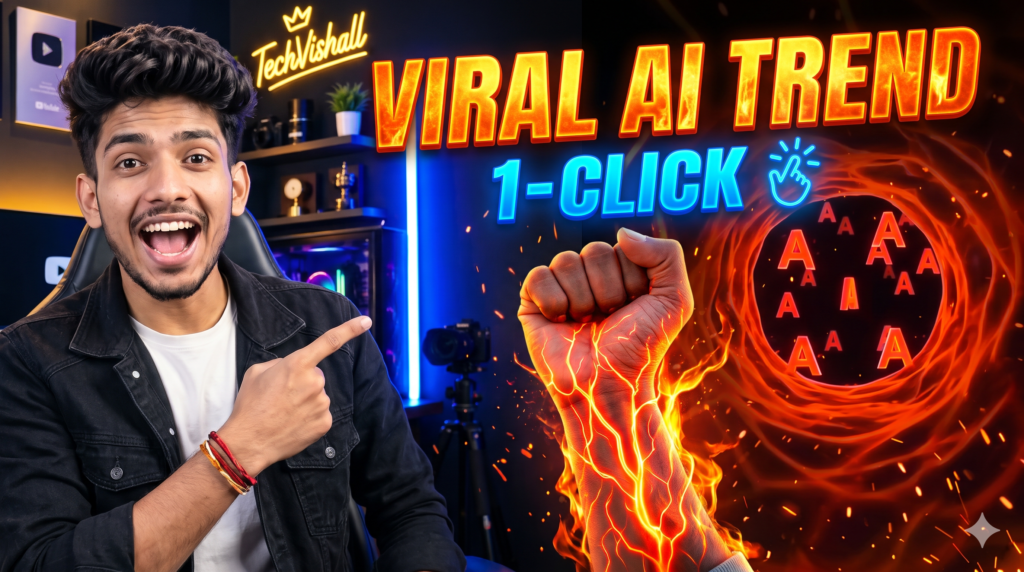
Social media platforms like Instagram Reels and YouTube Shorts are constantly evolving, driven by hyper-visual trends that capture attention within the first two seconds. Recently, an eye-catching visual effect has taken feeds by storm: a real photo or video of a person’s wrist or hand suddenly ignites with pulsating, glowing bioluminescent veins, zooming deep into an anatomical sci-fi tunnel where the initial of their partner or loved one floats in a fiery cinematic atmosphere.
VIRAL VIDEO PROMPT
1. What Exactly Is the Glowing Veins AI Trend?
The viral visual consists of a seamless multi-stage transition:
- The Realistic Setup: It begins with a normal, everyday snapshot of a wrist, hand, or forearm resting on a surface or wearing a simple bracelet.
- The Glowing Vein Activation: Bright, neon orange or crimson energy sparks underneath the skin, branching out across the natural vascular network of the arm like liquid lightning.
- The Tunnel Dive: The camera aggressively zooms directly into the pulsating vein, transitioning the viewer inside a microscopic, organic sci-fi tunnel.
- The Custom Letter Reveal: Floating within the luminous blood vessel are 3D glowing initials—customized to represent a romantic partner, best friend, or self.
This combination of biological sci-fi and personal romance makes it deeply shareable, sparking curiosity in comments sections across the platform.
2. The Tech Behind the Trend: Generative Video Platforms
Previously, morphing a real photographic arm into a stylized sci-fi tunnel required meticulous tracking, rotoscoping, particle simulations, and 3D rendering. Today, generative models utilize:
- Image-to-Video Conditioning: Using a base reference image (your hand photo) to keep physical fidelity intact before hallucinating transformation layers.
- Prompt Engineering: Detailed descriptors defining camera movement, visual style, lighting temperature, and specific subject substitutions (such as chosen letters).
- Temporal Consistency: AI engines like Google’s Flow/Omni infrastructure maintain frame-to-frame stability so the veins stay anchored to the flesh rather than drifting randomly across the screen.
3. Step-by-Step Tutorial: Creating Your Own Reel
Here is the exact procedure shown in the viral workflow:
Step 1: Capture the Perfect Source Photo
Before opening any AI tool, your source image determines the output quality:
- Take a clear, high-resolution photo of your arm or wrist.
- Ensure good natural or focused lighting so the contours of the veins and skin tone are well-defined.
- Keep the hand steady without extreme blur or heavy compression artifacts.
Step 2: Access the AI Tool
- Navigate to your mobile browser or desktop and visit flow.google.com (or open the Flow AI interface).
- Log in with your active account credentials.
- Tap on “New project” or “Start creating” to initiate a clean generation canvas.
Step 3: Upload the Base Image
- Locate the “+” (Plus) icon at the bottom left of the prompt interface.
- Select “Photo Library” or your file manager.
- Upload the clear photo of your wrist or hand you shot earlier.
Step 4: Craft and Paste the Master Prompt
The prompt dictates how the AI interprets the image. In the video, a specialized technical prompt is used to guide the biological transformation.
Here is the structural framework of the prompt:
Create a cinematic, ultra-realistic visual-effects video using the uploaded hand image as the exact visual reference.
DURATION: 10 seconds.
FORMAT: Vertical 9:16.
STYLE: Photorealistic hand combined with cinematic red-orange sci-fi biological visual effects.
CUSTOMIZABLE LETTER: The letter to display throughout the internal tunnel is: [ENTER YOUR LETTER HERE].
Replace [ENTER YOUR LETTER HERE] with any single English alphabet letter, such as A, R, P, S, or M.
Use the selected letter consistently throughout the video.
HAND AND ARM: Use the uploaded image as the visual base...- Simply paste the prompt into the creation box.
- Replace
[ENTER YOUR LETTER HERE]with the specific letter of your choice (e.g., your partner’s first initial).
Step 5: Configure Output Settings & Generate
- Set the aspect ratio to 9:16 (Vertical) for Reels and Shorts compatibility.
- Select the duration (standard is 5 to 10 seconds).
- Choose your desired resolution (720p or 1080p depending on credit balance).
- Hit the Send / Generate button and let the engine process the render. Within seconds to a couple of minutes, your generated video asset is ready!
4. Editing, Sound Design, and Publishing for Maximum Reach
A raw AI generation is only half the battle. To turn it into an algorithm-friendly viral reel, follow these finishing touches:
1. Audio Syncing (The Emotional Hook)
The viral audio featured in the video is a slow/reverb or cinematic version of emotional Bollywood tracks.
- Download your generated AI clip to your phone.
- Open an editor like CapCut, VN Editor, or Instagram’s native reel creator.
- Line up the exact moment the veins catch fire with the beat drop or the lyric “Meri Nas Nas Mein…”. Precise beat-matching increases watch retention significantly.
2. Color Grading and Glow Enhancement
While the AI output is detailed, running the clip through a subtle color correction pass (boosting saturation, bumping contrast, and applying a slight lens flare or bloom effect) makes the glowing lightning effect pop on mobile AMOLED screens.
3. Clear Call to Action (CTA)
As demonstrated by top creators, viral success requires audience engagement:
- Add on-screen text: “Tag that one special person ❤️” or “Comment your partner’s initial for the prompt!”
- Prompting users to comment specific words (e.g., “Comment ‘Love’ to get the prompt”) activates automated DM flows (using tools like ManyChat), driving algorithmic engagement signals through the roof.
5. Troubleshooting Common AI Generation Mistakes
| Issue | Cause | Fix |
|---|---|---|
| Distorted Hands / Extra Fingers | AI struggles with complex hand anatomy when unguided. | Use a clean, simple wrist/forearm shot rather than fully open, complex hand poses. |
| Wrong Letter Rendered | The prompt had conflicting instructions or ambiguous characters. | Clearly specify: Single letter only: "A". Do not generate multiple letters. |
| Flickering Veins | Low frame rate or inconsistent temporal guidance. | Ensure the duration is set to at least 8-10 seconds to give the transition smooth pacing. |
|
| Out of Credits | Free tiers have daily limits. | Manage generation credits efficiently by testing prompts at 720p before exporting final renders.
|
6. The Bigger Picture: How Micro-VFX is Shaping Content Creation
This trend represents a broader shift in digital media. Just three years ago, high-end motion graphics with particle tracking were locked behind steep software learning curves and expensive hardware.
With multimodal platforms like Google Flow, Sora, Runway, and Kling, micro-VFX have become democratized. Creators can brainstorm a surreal visual concept in the morning, prompt it during lunch, and have a finished, trending piece of content uploaded by evening.
For modern creators, learning how to direct AI via precise prompt phrasing is fast becoming as valuable as traditional video editing skills.
Kya aapko is article ke liye catchy Instagram captions, hashtags, ya ManyChat automation setup ke baare mein aur jaankari chahiye?

Pratiksha Thakare is a Vedic astrology writer and spiritual researcher with deep study in Jyotish, numerology, and Hindu philosophy. She writes to make ancient wisdom simple and accessible for modern Indian readers.