
AI video editing is becoming very popular on social media in 2026. Many creators are using AI tools to make attractive videos without expensive cameras or professional editing software. With the help of AI, you can turn simple ideas into realistic videos by writing a text prompt and uploading a reference image.
One popular way to create these videos is by using Google Flow. It allows creators to generate cinematic scenes with realistic movements, backgrounds, and characters. Whether you want to make romantic videos, trending reels, or creative AI stories, these tools can help you bring your ideas to life.
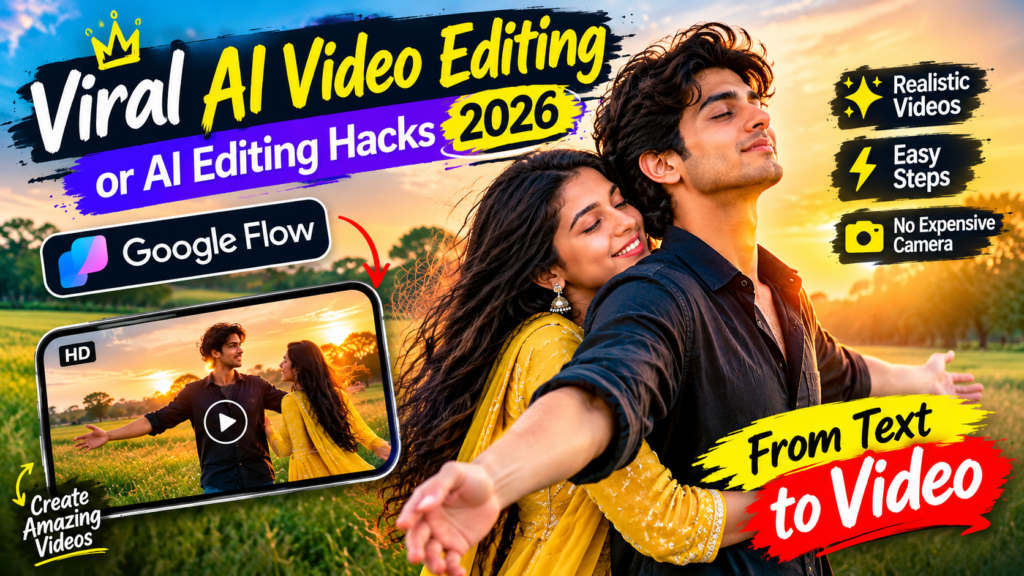
Viral AI Video
“`html1. What Is AI Video Editing?
AI video editing is a method of creating or improving videos with the help of artificial intelligence. Instead of recording every scene with a camera, you can use AI tools to generate video clips from text prompts or images.
For example, you can describe a boy standing in a field during sunset. You can then ask the AI to show a girl walking toward him and giving him a hug. The tool uses your instructions to create a video based on the scene you describe.
This method saves time and gives creators more freedom to experiment with different ideas. It is especially useful for people who want to create trending Instagram Reels, YouTube Shorts, and other short videos.
2. How to Create AI Videos Using Google Flow
Google Flow is an AI-powered tool that helps users create videos from text prompts and reference images. You can describe the scene you want, including the characters, clothes, background, lighting, and camera movements.
The tool uses your instructions to generate a video that matches your idea as closely as possible.
Here are some details you can include in your prompt:
- Characters: Describe the people who should appear in the video.
- Clothing: Mention the outfits and their colors.
- Background: Choose a field, garden, street, beach, or another location.
- Lighting: Describe the lighting, such as a warm sunset or soft natural light.
- Movements: Explain how the characters should walk, turn, run, or interact.
- Camera angles: Mention whether you want a close-up, wide shot, or moving camera.
Adding these details can help you get a result that is closer to your original idea. However, the final video may still look different from your prompt.
3. Create a Romantic AI Hug Video
Romantic AI videos are a popular idea for short-form content. With the right prompt, you can create a cinematic scene featuring two characters in a beautiful outdoor location.
For example, imagine a boy standing in a grassy field during sunset. He opens his arms and slowly turns around. A girl wearing a traditional outfit approaches him from behind and gives him a warm hug.
The golden sunlight, natural background, and smooth character movements can make the scene look beautiful and emotional.
You can use this idea to create romantic reels, couple videos, or short AI-generated stories.
If you want the characters to look similar to people in your reference photos, upload suitable images and clearly explain which person’s appearance should be preserved. Keep in mind that AI tools may not reproduce every facial detail perfectly.
4. AI Video Editing Prompt for the Latest Trend
A good prompt is one of the most important parts of AI video creation. It helps the tool understand the scene, character movements, and visual style you want.
You can use the following prompt as a starting point for creating a romantic AI video.
Copy This AI Video Prompt
Cinematic close-up shot of a young man standing in a beautiful grassy field during golden-hour sunset. He wears a dark shirt and looks toward the camera with a natural expression. He slowly brings his hands together, turns to face forward, and begins running through the grassy field. A young woman wearing a beautiful traditional yellow outfit enters the scene from the side and approaches him. She gently hugs him, creating a warm and emotional romantic moment. Use soft golden sunlight, realistic facial expressions, natural body movements, detailed grass, and trees in the background. Keep the camera movement smooth and cinematic. Maintain consistent character appearances throughout the video. Create a realistic, high-quality result suitable for vertical social media reels.
AI Video Generator: You can try creating your video using Google Flow.
Tips for Better Results
If you want your AI video to look more realistic, keep these tips in mind:
- Describe the scene clearly: Explain what happens at the beginning, middle, and end of the video.
- Mention the character’s appearance: Include clothing, hairstyle, and other important visual details.
- Explain the movements: Describe how each character should move and interact.
- Use lighting details: Golden-hour sunlight can create a warm, cinematic look.
- Keep the prompt organized: Clear instructions can make it easier for the AI to understand your idea.
- Check the final result: If the video contains unwanted movements or facial changes, adjust your prompt and generate another version.
These small improvements can help you create more engaging AI videos.
5. What Is the Future of AI Video Creation?
AI video generation is developing quickly. New tools are making it easier for creators to produce videos with realistic characters, detailed backgrounds, and cinematic effects.
In the past, creating these scenes often required cameras, actors, lighting equipment, and editing skills. Now, AI tools can help people create similar types of content using text prompts and images.
This is useful for beginners, content creators, and social media influencers who want to experiment with new video ideas without investing in expensive equipment.
AI video tools can also help creators explore different storytelling styles. For example, they can create romantic scenes, fantasy stories, action sequences, or cinematic travel videos.
As the technology improves, creators may find even more ways to turn their ideas into engaging visual content. However, the quality of the final video will still depend on the tool, the prompt, and the amount of editing required.
6. Conclusion
AI video editing is opening new creative opportunities for people who want to make trending videos in 2026. Tools like Google Flow allow users to experiment with different scenes, characters, movements, and visual effects without needing a professional video setup.
By writing clear prompts and describing your ideas in detail, you can create romantic AI videos, cinematic reels, and other creative clips for social media.
If you are new to AI video creation, start with a simple idea and experiment with different prompts until you get a result you like. With practice, you can improve your prompts and create more interesting videos.
Frequently Asked Questions (FAQs)
1. What is AI video editing?
AI video editing uses artificial intelligence to create, change, or improve videos from text prompts, images, or other inputs.
2. Can I create romantic AI videos using Google Flow?
Yes, you can use Google Flow to create romantic scenes by describing the characters, background, movements, and lighting in your prompt. The final result may vary.
3. How can I make my AI videos look realistic?
Use clear prompts, describe natural movements, specify lighting and camera angles, and provide suitable reference images when needed.
4. Do I need professional editing skills to create AI videos?
No. Many AI video tools are designed to help beginners create videos with simple text instructions and images. You may still need some editing to achieve your desired result.
5. Where can I share my AI-generated videos?
You can share your videos on platforms such as Instagram Reels, YouTube Shorts, and other social media platforms, while following their content policies.

Pratiksha Thakare is a Vedic astrology writer and spiritual researcher with deep study in Jyotish, numerology, and Hindu philosophy. She writes to make ancient wisdom simple and accessible for modern Indian readers.