
Navaratri is one of the most colorful and energetic festivals in India. Every year, social media fills up with Garba performances, traditional outfits, beautiful decorations, devotional music, and creative videos. But recently, a new type of content has started getting attention: AI Navaratri dance videos.
These videos can turn a normal photo into an exciting AI-generated dance scene. A person who is simply standing in a photo can appear to perform Garba or a traditional Navaratri dance with colorful backgrounds, festival lights, traditional clothing, and cinematic movements.
The best part is that you do not necessarily need professional video-editing skills to create one.
In this guide, we will explain how to create a trending AI Navaratri dance video, what tools you can use, how to prepare your photo, how to write an effective AI prompt, and what mistakes you should avoid.
Trending AI Navaratri Dance
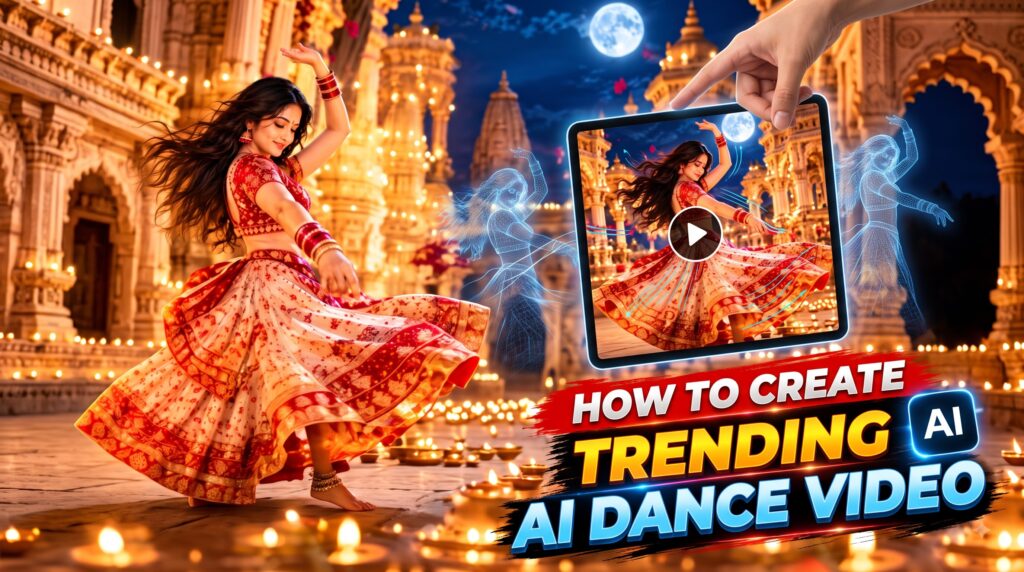
Cinematic 9:16 vertical music video sequence set on a grand traditional Indian palace terrace at night under a luminous full moon. The sequence opens with a wide low-angle shot of a South Asian woman in her mid-20s with long voluminous dark wavy hair, wearing an intricate crimson red sheer choli and a voluminous off-white skirt with a broad gold and red embroidered hem. She performs a dynamic series of high-energy traditional dance spins and graceful movements. The camera fluidly transitions through close-up whip pans, dramatic low-angle hero shots facing a massive glowing full moon, intimate character close-ups highlighting heavy dark kajal eyeliner and traditional gold jhumka earrings, and wide ensemble choreography shots featuring background dancers in matching attire. The scene is illuminated by warm practical lighting from hundreds of flickering oil lamps (diyas) lining the marble floor and carved stone architecture, contrasted against deep night-blue moonlight rim lighting. Rich saturated colors, cinematic motion blur during spins, high contrast, and authentic physical movement throughout.

When I provide a reference image together with this video prompt, use that reference image ONLY to establish the identity and facial appearance of the person.

The person in the generated video must maintain the identity of the person shown in the supplied reference image throughout the entire video.

Preserve the reference person's recognizable facial structure, face shape, eyes, eyebrows, nose, lips, jawline, facial proportions, skin appearance, hairline where applicable, and overall facial identity.

Do NOT replace the person's face with a random AI-generated face. Do NOT allow identity drift between frames. Do NOT change the person's facial identity because of camera angle, lighting, movement, turning, expressions, hairstyle, clothing, accessories, motion blur, or different shots.

The clothing, environment, camera work, actions, poses and visual elements must follow the VIDEO PROMPT extracted from the original source video.

The REFERENCE IMAGE is ONLY the identity reference for the person.

The VIDEO PROMPT is the source of truth for the video's actions, movement, clothing, accessories, environment, camera, lighting, composition, timing, transitions, and cinematic appearance.

Do NOT let the reference image change the original video's choreography or scene composition unless necessary to maintain the person's identity.
What Is an AI Navaratri Dance Video?
An AI Navaratri dance video is a short video created or enhanced using artificial intelligence.
Instead of recording an actual dance performance, you can provide an AI tool with an image, text prompt, or both. The AI then generates movement and turns the still image into a short video.
For example, imagine you have a normal photo of yourself wearing a traditional outfit. With the right AI prompt, the generated video could show you:
- Performing energetic Garba steps
- Moving naturally with the rhythm
- Dancing in a colorful Navaratri event
- Wearing traditional Indian clothing
- Moving your hands and body in a coordinated way
- Dancing under decorative festival lights
- Appearing in a cinematic celebration environment
Think of it like giving your photograph a temporary “life” through AI.
Why Are AI Navaratri Dance Videos Trending?
There are several reasons why this format works particularly well on Instagram Reels, YouTube Shorts, and other short-video platforms.
Easy to Create
Traditional dance videos require a camera, location, costume, choreography, and recording. AI reduces many of these requirements.
You can start with a good-quality photograph and create a video concept around it.
Festival Content Gets Attention
Navaratri already has a strong visual identity. Garba circles, colorful dresses, dandiya sticks, lights, flowers, and traditional decorations naturally make attractive video content.
Personalization
Instead of watching a generic AI character dance, viewers can use their own photos.
That personal element makes the video more interesting and shareable.
Short-Form Video Friendly
AI-generated dance clips are usually suitable for short-form platforms because they can be created as quick, visually interesting clips.
A simple 5–10 second video can sometimes communicate the entire idea.
What You Need to Create an AI Navaratri Dance Video
You do not need expensive equipment.
| Requirement | Why You Need It | Recommended Approach |
|---|---|---|
| Clear photo | Used as the main character reference | Use a sharp, high-resolution image |
| AI video generator | Creates movement from the image | Choose an image-to-video AI tool |
| Text prompt | Describes the dance and environment | Keep it detailed but natural |
| Music | Adds the Navaratri atmosphere | Use suitable licensed/trending audio |
| Video editor | Final adjustments | Crop, trim, add text and music |
| Social platform | Where you publish the video | Instagram Reels or YouTube Shorts |
A smartphone and a good photograph can be enough to get started.
Step 1: Choose the Right Photo
The quality of your original image has a major impact on the final AI video.
Try to choose a photograph where:
- Your face is clearly visible.
- Your entire body or most of your body is visible.
- The image is not blurry.
- Your hands are not hidden.
- Your clothing is clearly visible.
- The lighting is reasonably good.
- The background is not extremely complicated.
A full-body photograph is generally useful for dance videos because the AI has more information about the person’s body position.
Example
Imagine trying to animate a photograph where only your face and shoulders are visible.
The AI has very little information about your legs and body position.
Now compare that with a full-body photograph. The AI has more visual information to work with, which can make movement generation easier.
Step 2: Decide What Type of Navaratri Video You Want
Before opening an AI tool, decide on your video concept.
You could create a:
- Traditional Garba dance
- Dandiya dance
- Group Navaratri celebration
- Cinematic Garba performance
- Colorful festival dance
- Couple Garba scene
- Royal traditional dance
- Modern Garba celebration
Having a clear idea prevents the final video from looking random.
Step 3: Write a Good AI Dance Prompt
The prompt is one of the most important parts of an AI Navaratri dance video.
Instead of simply writing:
“Make this person dance.”
give the AI more useful information.
A better prompt could describe:
- Dance style
- Body movement
- Clothing
- Location
- Lighting
- Camera movement
- Facial expression
- Overall mood
- Video quality
Example AI Navaratri Dance Prompt
Create a cinematic Navaratri Garba dance video using the person in the reference image. Keep the person’s face, hairstyle, identity, and clothing appearance consistent. Show natural and energetic Garba dance movements with coordinated hand and body motion. Place the person in a beautiful Navaratri celebration with colorful decorative lights, traditional Indian decorations, a festive crowd, and a vibrant Garba atmosphere. Use smooth realistic movement, natural body proportions, cinematic lighting, detailed clothing, and a dynamic camera movement. Make the video visually attractive, festive, realistic, and suitable for a vertical social media Reel.
This type of prompt gives the AI a much clearer direction.
Prompt Elements That Can Improve Your Video
| Prompt Element | Example | Purpose |
|---|---|---|
| Subject | Young person in traditional outfit | Identifies the main character |
| Action | Performing Garba steps | Defines movement |
| Environment | Navaratri celebration | Creates the festival setting |
| Lighting | Warm colorful festival lights | Improves visual mood |
| Camera | Smooth cinematic movement | Makes the video dynamic |
| Quality | Realistic, detailed, high quality | Improves visual appearance |
| Mood | Joyful and energetic | Controls the emotional feeling |
You do not need to use complicated technical words. Clear instructions are often more useful than unnecessarily long prompts.
Step 4: Use an Image-to-Video AI Tool
Once your image and prompt are ready, upload the photograph to an AI video-generation platform that supports image-to-video generation.
The general process usually looks like this:
Upload Image → Add Prompt → Generate Video → Review Result → Regenerate if Needed → Download/Edit
Different AI platforms may have different interfaces and features, so the exact buttons can change.
If your first result is not good, don’t immediately assume the prompt or photo is useless.
AI video generation can produce different results from the same concept.
Step 5: Check the AI-Generated Movement
This is an important step that many beginners skip.
Do not publish the first generated clip without watching it carefully.
Look for problems such as:
- Strange hand movements
- Extra fingers
- Unnatural legs
- Face changing during the video
- Clothing suddenly changing
- Body proportions becoming distorted
- Unnatural dancing
- Background objects moving strangely
AI-generated videos can look impressive at first glance but may contain small visual errors when viewed closely.
Think of it like proofreading an article. You may understand the main idea immediately, but checking the details makes the final result much better.
Step 6: Generate Multiple Versions
If your first AI Navaratri dance video is not perfect, try generating another version.
You can change one element at a time.
For example:
Version A: Traditional Garba
Version B: Fast Garba movement
Version C: Cinematic Navaratri celebration
Version D: Dandiya-style dance
This makes it easier to determine which prompt produces the best result.
Avoid changing everything at once. If you modify the prompt gradually, you can understand which instruction improved the video.
Step 7: Edit the Final Video
After generating your AI video, you can use a mobile editing application to improve the final result.
Consider adding:
- Navaratri music
- Short text
- Festival effects
- Light transitions
- Slow-motion sections
- Beat synchronization
- Subtle zoom effects
For Instagram Reels and YouTube Shorts, a vertical 9:16 format is generally the most suitable choice.
Keep the editing clean. Too many effects can make an AI video look artificial.
How to Make Your AI Navaratri Video More Viral-Friendly
Creating an AI video is only one part of the process. Presentation also matters.
| Factor | Better Approach | Common Mistake |
|---|---|---|
| First seconds | Start with the most attractive shot | Slow introduction |
| Video length | Keep it short and engaging | Unnecessarily long clip |
| Music | Match the festival mood | Random audio |
| Caption | Explain the AI concept | Misleading claim |
| Thumbnail | Use a colorful frame | Blurry screenshot |
| Format | Vertical video | Incorrect aspect ratio |
| Editing | Clean and simple | Too many effects |
A strong opening can make a big difference.
For example, instead of beginning with a dark frame, start immediately with the person performing a colorful Garba movement.
Be Careful With Viral AI Video Claims
While AI Navaratari videos can be entertaining, viewers should be careful about exaggerated claims surrounding viral AI tools and websites.
You may see posts claiming things such as:
- “Create unlimited AI videos for free.”
- “Generate professional videos instantly.”
- “No login required.”
- “Get unlimited generations.”
- “Upload any photo and make a perfect dance video.”
Do not automatically trust every viral claim.
Some websites may have limitations, advertisements, redirects, or hidden conditions. Others may require an account or offer only a limited number of free generations.
Before uploading a personal photograph, check what the platform says about privacy, image storage, and data usage.
A Simple Real-World Example
Suppose someone tells you that a website gives away expensive smartphones completely free.
Would you immediately enter your personal information?
Probably not.
You would first check whether the website is trustworthy.
The same principle should apply to AI video websites. Just because a link is trending on social media does not automatically mean it is safe.
Protect Your Photos and Personal Information
Your photograph is personal data.
Before uploading it to an unfamiliar AI website:
- Check whether the website has a privacy policy.
- Avoid uploading sensitive photographs.
- Do not provide unnecessary personal information.
- Be careful with websites demanding unusual permissions.
- Avoid downloading suspicious files.
- Check whether the service is official.
- Don’t enter passwords into random websites.
If a website promises an AI Navaratri video but asks for unrelated sensitive information, stop and investigate before continuing.
Common Mistakes to Avoid
Using a Low-Quality Image
A blurry photograph can produce a poor AI video.
Solution: Start with the clearest image available.
Writing an Extremely Short Prompt
“Make me dance” gives the AI very little direction.
Solution: Describe the dance, environment, movement, lighting, and camera style.
Expecting Perfect Results Every Time
AI generation is not always predictable.
Solution: Generate multiple versions and select the strongest one.
Ignoring AI Artifacts
Small distortions can become obvious after uploading the video.
Solution: Watch the entire clip before publishing.
Using Copyrighted Music Carelessly
A video can be visually excellent but still face audio-related restrictions.
Solution: Use music available through the platform’s permitted music library or properly licensed audio.
AI Navaratri Dance Video vs Traditional Dance Video
| Feature | AI Navaratri Video | Traditional Dance Video |
|---|---|---|
| Camera required | Not necessarily | Yes |
| Physical performance | Not required | Required |
| Location | Can be AI-generated | Real location |
| Editing skills | Basic to moderate | Moderate to advanced |
| Personalization | Very high | Depends on recording |
| Cost | Can vary by AI tool | Depends on equipment and setup |
| Creative possibilities | Very broad | Limited by real-world setup |
Neither approach is necessarily better.
A real dance performance captures genuine human energy, while AI allows creators to experiment with visual ideas that may be difficult to record traditionally.
Final Tips for a Better AI Navaratri Dance Video
Before publishing your video, use this quick checklist:
- Use a clear photograph.
- Prefer a full-body image for dance concepts.
- Choose one clear dance idea.
- Write a descriptive prompt.
- Keep the person’s identity consistent.
- Generate more than one version.
- Check hands, face, legs, and clothing.
- Edit the best version.
- Use an appropriate vertical format.
- Choose suitable music.
- Avoid misleading viral claims.
- Check unfamiliar AI websites before uploading personal images.
- Read privacy information when available.
Conclusion
Creating a trending AI Navaratri dance video can be a fun way to combine Indian festival culture with modern AI creativity. You don’t need to be an expert video editor. With a good photograph, a clear idea, a detailed AI prompt, and some simple editing, you can create an attractive Navaratri-themed video for social media.
The key is not simply asking an AI tool to “make a dance video.” A better result comes from giving the AI a clear description of the dance, environment, lighting, camera movement, and overall mood.
At the same time, don’t let the excitement around viral AI trends make you careless. Check unfamiliar websites before uploading personal photos, avoid suspicious links, and don’t believe every “free unlimited AI video” claim you see online.
Use AI as a creative tool, experiment with different ideas, and always review the final result before sharing it.
FAQs
1. How can I create an AI Navaratri dance video?
You can create one by uploading a suitable photograph to an image-to-video AI tool and providing a detailed prompt describing the Garba or Navaratri dance, environment, lighting, camera movement, and overall style.
2. What type of photo is best for an AI dance video?
A clear, high-resolution full-body photograph is generally a good choice. Make sure the person’s face and body are visible and the image is not heavily blurred.
3. Can I create an AI Garba dance video from one photo?
Yes. Image-to-video AI tools can animate a single photograph based on a text prompt. However, results vary between tools and generations, so you may need to create several versions.
4. Why does my AI dance video have strange hands or body movements?
AI-generated videos can sometimes produce visual artifacts, especially during complex movements such as dancing. Try a clearer reference image, simplify the movement, improve the prompt, or generate another version.
5. Is every viral AI video website safe?
No. A website becoming popular on social media does not automatically make it trustworthy. Check its domain, privacy information, permissions, and download behavior before uploading personal photographs or entering sensitive information.
Table of Contents

Pratiksha Thakare is a Vedic astrology writer and spiritual researcher with deep study in Jyotish, numerology, and Hindu philosophy. She writes to make ancient wisdom simple and accessible for modern Indian readers.