
Instagram Reels have become one of the easiest ways for creators to reach a large audience. But with millions of videos being uploaded every day, simply recording a normal video is often not enough. Creators are now using artificial intelligence to make their Reels more creative, cinematic, and eye-catching.
In 2026, AI video editing has become much easier. You can use AI to transform images into videos, replace elements in a scene, create cinematic effects, generate captions, improve audio, remove unwanted portions, and even turn a simple idea into a short video.
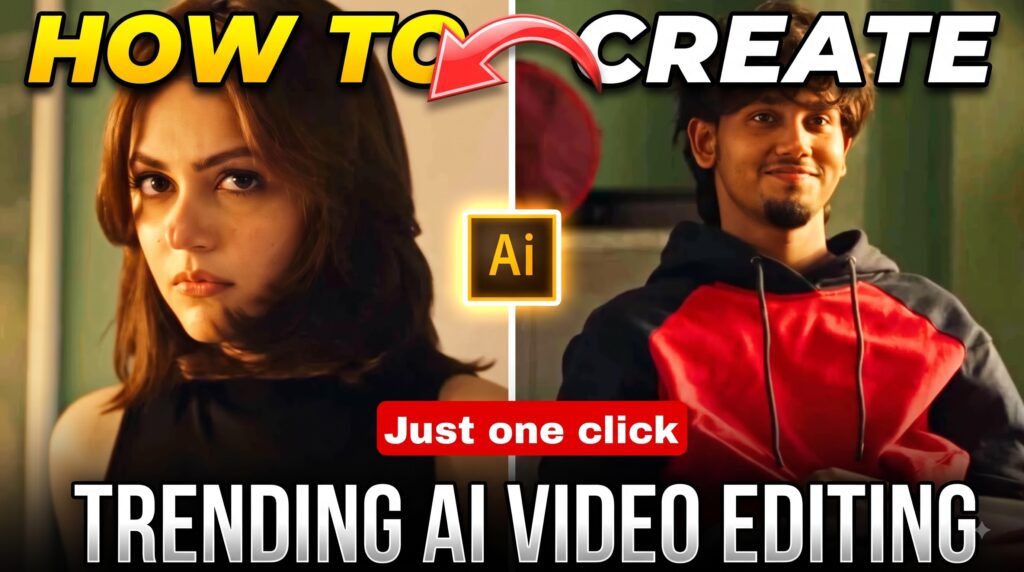
Trending AI Video Prompt
Reference Video
What Is Instagram AI Video Editing?
Instagram AI video editing means using artificial intelligence to create or improve videos before publishing them as Instagram Reels.
Traditional editing usually requires you to manually cut clips, add transitions, adjust colors, synchronize music, create captions, and apply effects. AI tools can automate many of these tasks.
For example, AI can help you:
- Remove unwanted parts from a video
- Generate automatic captions
- Improve voice and background audio
- Change or remove backgrounds
- Animate a still photograph
- Convert an image into a short video
- Generate visual effects
- Create B-roll footage
- Synchronize clips with music
- Add cinematic camera movements
- Replace selected objects or people
- Create videos from text instructions
- Improve lighting and overall video quality
This makes AI particularly useful for creators who have good ideas but limited editing experience.
Why Is AI Video Editing Trending on Instagram in 2026?
The main reason is simple: AI saves time while giving creators more creative possibilities.
Earlier, creating an advanced Reel could require several different editing steps. A creator might have to record footage, transfer it to an editing application, cut the clips, add effects, create captions, adjust audio, and finally export the video.
AI can reduce many of these manual steps.
Another reason is that unusual visual concepts are performing well on short-form video platforms. Creators are experimenting with impossible-looking scenes, cinematic transformations, AI characters, animated photographs, fantasy environments, and creative object effects.
For example, a normal photograph can potentially be transformed into a short cinematic sequence with camera movement and environmental animation.
However, using AI does not automatically make a Reel viral.
The idea, storytelling, hook, originality, timing, and viewer retention still matter.
How to Create a Trending AI Reel
You can follow a simple workflow if you want to experiment with AI-powered Instagram videos.
Step 1: Choose a Simple Video Concept
Start with the idea rather than the effect.
Think about what you want the viewer to see during the first few seconds.
Some possible concepts include:
- Photo-to-video transformation
- Cinematic character transformation
- Before-and-after effect
- AI fashion transformation
- Fantasy environment
- Action-style scene
- AI-generated travel sequence
- Futuristic city scene
- Object transformation
- Creative vehicle animation
A strong concept gives your video a purpose instead of making it look like a random collection of AI effects.
Step 2: Prepare a Good Reference Image
If your AI tool supports image-to-video generation, choose a clear reference image.
For better results, the image should have:
- Good lighting
- A clearly visible subject
- Reasonably sharp details
- A suitable camera angle
- Minimal obstruction around the face
- A background that matches your idea
If you want to preserve a person’s appearance, use a high-quality image and carefully describe what should remain unchanged.
Step 3: Write a Detailed AI Prompt
The prompt tells the AI what you want to happen.
Instead of writing something extremely short like:
“Make this image into a video.”
Give the tool information about the subject, movement, camera, environment, lighting, and overall style.
For example:
Create a short cinematic vertical video using the supplied reference image. Preserve the subject's identity, facial features, hairstyle, clothing, and overall appearance. Add natural body movement and realistic facial expressions. Use a slow cinematic camera movement with realistic lighting and subtle environmental motion. Keep the scene visually consistent throughout the video. Avoid unnecessary changes to the person's face, clothes, or background.
You can modify the prompt according to the trend you want to create.
AI Video Prompt for a Trending Reel
If you are creating an image-to-video Reel, you can start with the following original prompt:
Create a realistic cinematic vertical video from the supplied reference image. Keep the main subject's identity, facial structure, hairstyle, clothing, body proportions, and overall appearance consistent throughout the video.

Add natural movement while maintaining the original composition. Use a smooth cinematic camera motion, realistic depth, detailed lighting, subtle environmental movement, and natural-looking shadows.

The subject should move naturally and remain visually consistent from beginning to end. Avoid unwanted face changes, extra fingers, distorted body parts, sudden clothing changes, or unrealistic background alterations.

Make the final result look like professionally filmed short-form social media footage.
You can then add your own creative scene or action to make the result unique.
Step 4: Generate the Video
Once your image and prompt are ready, open an AI video-generation tool that supports the type of creation you want.
Depending on the platform, you may find options such as:
- Text-to-video
- Image-to-video
- Video transformation
- AI effects
- Character animation
- Object replacement
- Background generation
Upload your reference image if required, paste your instructions, and generate the video.
The first result may not always be perfect.
AI-generated videos can sometimes contain unusual facial movements, inconsistent objects, distorted hands, or unexpected changes. If that happens, improve the prompt and generate another version.
Step 5: Make the Video Vertical
Instagram Reels are designed for vertical viewing.
A 9:16 format is generally the most suitable choice for full-screen vertical content.
Before publishing, check:
- The subject is clearly visible
- Important text isn’t near the edges
- The video fills the screen properly
- The main action happens inside the frame
- The first few seconds are visually interesting
A technically good AI video can still perform poorly if the important part of the scene is cropped or difficult to understand.
Step 6: Add Captions and Music
After generating the main footage, you can improve it with normal editing.
Consider adding:
- Short captions
- Background music
- Sound effects
- Transitions
- Zoom effects
- On-screen text
- Voice-over
- Color adjustments
Don’t overload the Reel with effects.
A clean edit often looks more professional than a video containing too many transitions and animations.
Step 7: Create a Strong Opening
The beginning of a Reel is extremely important.
Viewers can quickly swipe away if they don’t understand why they should continue watching.
Try starting with:
A surprising visual
Show the most interesting part immediately.
A question
Create curiosity around what happens next.
A transformation
Start with the original image and quickly reveal the AI result.
A short statement
Tell viewers what they are about to see.
For example:
“This photo was turned into a cinematic AI video.”
The goal is to make the viewer curious enough to continue watching.
Best AI Video Editing Features to Look For in 2026
There are many AI video tools available, but you don’t necessarily need a tool with hundreds of features.
Instead, look for features that actually help your workflow.
1. Image-to-Video
This is useful when you want to animate photographs and create short cinematic clips.
2. Text-to-Video
Text-to-video generation can create visual scenes from written instructions.
3. AI Captions
Automatic subtitles can save considerable editing time, especially for talking videos.
4. Background Removal
This feature can separate a person from the original background and allow you to place them into another environment.
5. AI Object Editing
Some tools allow specific elements inside a video to be modified without rebuilding the entire scene.
6. Audio Enhancement
AI can improve voice clarity and reduce unwanted background noise.
7. AI Effects
Creative effects can help transform an ordinary clip into something visually different.
8. Camera Motion
Some AI video generators can create movements such as:
- Slow zoom
- Camera push-in
- Camera pull-out
- Side movement
- Tracking movement
- Cinematic rotation
These effects can make a static image feel more like real footage.
Can AI-Generated Reels Go Viral?
Yes, AI-generated content can attract significant attention, but there is no guarantee that using AI will make a video viral.
Instagram users see a huge amount of content every day. Therefore, your Reel needs more than an AI effect.
Focus on these elements:
Original Idea
Try to add your own concept instead of copying another creator’s complete video.
Strong Hook
Give viewers a reason to stop scrolling.
Short and Clear Story
The viewer should understand what is happening without needing a long explanation.
Good Visual Quality
Avoid obvious AI errors whenever possible.
Relevant Audio
Choose audio that fits the mood and concept of the Reel.
Consistency
Posting useful content regularly can help you learn what your audience responds to.
Does Using AI Reduce Instagram Reach?
Using AI by itself does not mean that a Reel will automatically receive low reach.
The performance of a Reel depends on many factors, including viewer interest, content quality, engagement, originality, and how people interact with the video.
The important thing is to avoid building your entire strategy around copying viral AI clips.
Instead, use AI as a creative tool.
For example, you can record your own footage and then use AI to improve the background, create additional scenes, generate effects, or make the video more cinematic.
This gives you more control over the final result and can make your content feel more personal.
AI Editing vs Traditional Editing
AI editing and traditional editing both have advantages.
| Feature | AI Editing | Traditional Editing |
|---|---|---|
| Speed | Usually faster | Can take longer |
| Learning curve | Often easier | Requires editing knowledge |
| Automation | High | Mostly manual |
| Creative control | Depends on the tool | Very high |
| Video generation | Available in some tools | Usually requires existing footage |
| Repetitive tasks | Easy to automate | Time-consuming |
| Precision | Can vary | Usually more precise |
The best approach isn’t necessarily to choose one over the other.
Many creators can combine both.
Use AI for time-consuming creative tasks and traditional editing for the final adjustments.
Common Mistakes to Avoid
1. Copying Every Viral Trend
A trend can give you an idea, but copying the exact concept can make your content look repetitive.
2. Using Too Many Effects
More effects don’t always mean better editing.
3. Ignoring AI Errors
Always watch the generated video before uploading it.
Check faces, hands, objects, text, clothing, and background consistency.
4. Making the Intro Too Long
If the interesting part starts after several seconds, viewers may swipe away before reaching it.
5. Depending Completely on AI
AI should support your creativity, not replace your ideas.
6. Forgetting the Final Edit
Even a good AI-generated clip may benefit from captions, music, trimming, and proper framing before publishing.
Tips for Making Better AI Reels
Here are some practical tips you can try:
- Start with a clear concept.
- Use high-quality reference images.
- Keep prompts specific.
- Describe movement clearly.
- Mention what should remain unchanged.
- Generate multiple versions when necessary.
- Check the video for visual errors.
- Use a vertical 9:16 composition.
- Keep the opening visually interesting.
- Add captions when they improve understanding.
- Don’t overload the video with effects.
- Add your own creative touch.
- Test different hooks and concepts.
- Study your analytics to understand what your audience likes.
Final Thoughts
Instagram AI video editing has opened many new possibilities for creators in 2026. You no longer need advanced editing skills to experiment with cinematic animations, image-to-video effects, creative transformations, and other visual ideas.
However, AI is only a tool.
A great prompt can help you create an impressive video, but a strong concept is what gives the video a reason to exist. Instead of simply copying whatever AI trend is currently popular, try combining trending techniques with your own ideas, footage, storytelling, and editing style.
Start with a simple concept, create your AI footage, make the final edits, and then publish consistently. Over time, you will learn which ideas work best for your audience.
Frequently Asked Questions
1. What is AI video editing on Instagram?
AI video editing is the use of artificial intelligence to create, modify, enhance, or automate different parts of a video intended for platforms such as Instagram.
2. Can beginners create AI Reels?
Yes. Many modern AI video tools are designed to be relatively easy to use. Beginners can start with image-to-video or simple AI editing features.
3. What format is best for Instagram Reels?
A vertical 9:16 format is generally suitable for full-screen Instagram Reel viewing.
4. Does AI automatically make a Reel viral?
No. AI can improve the production process, but viral performance depends on factors such as the idea, hook, viewer retention, originality, engagement, and audience interest.
5. Should I use AI for every Reel?
Not necessarily. A combination of original footage, traditional editing, and AI-generated elements can often produce more distinctive content.
Table of Contents

Pratiksha Thakare is a Vedic astrology writer and spiritual researcher with deep study in Jyotish, numerology, and Hindu philosophy. She writes to make ancient wisdom simple and accessible for modern Indian readers.